Processes, plans and comparisons
How work flows, what happens when, and how options compare. Each is a poster block, drawn by py-doc itself.
flow
Filled and outlined boxes joined by labelled arrows. Lines that are not part of the flow become notes under it.
```flow
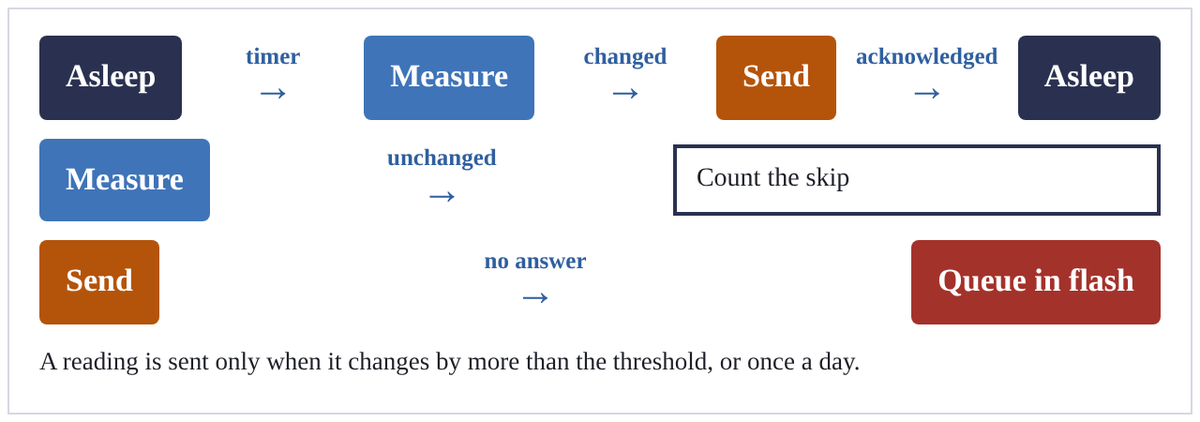
[Asleep|navy] -timer-> [Measure|blue] -changed-> [Send|amber] -acknowledged-> [Asleep|navy]
[Measure|blue] -unchanged-> [Count the skip]
[Send|amber] -no answer-> [Queue in flash|red]
A reading is sent only when it changes by more than the threshold, or once a day.
```
steps
Numbered steps with their detail, and an icon or colour on any of them.
```steps cols=2
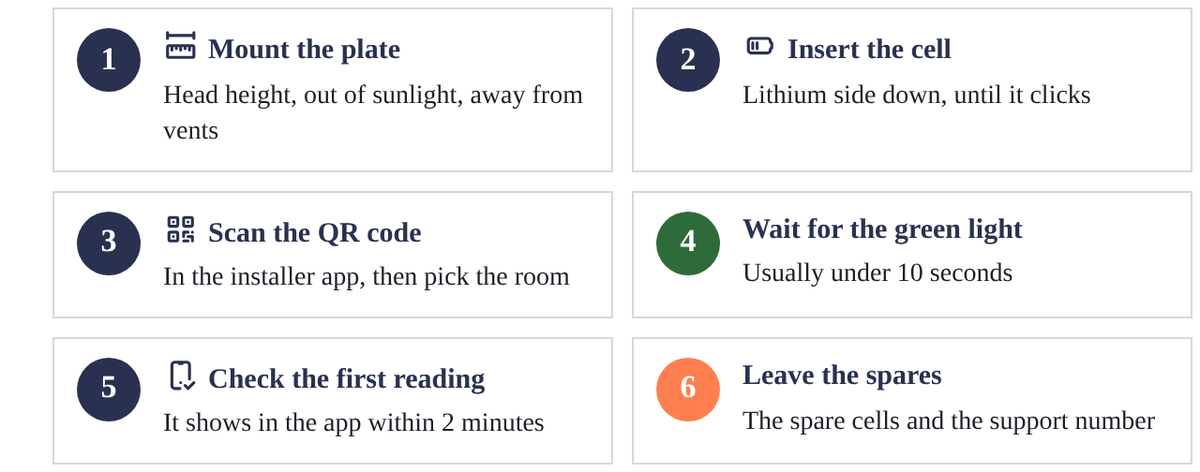
Mount the plate | Head height, out of sunlight, away from vents | icon=tabler:ruler-measure
Insert the cell | Lithium side down, until it clicks | icon=tabler:battery-2
Scan the QR code | In the installer app, then pick the room | icon=tabler:qrcode
Wait for the green light | Usually under 10 seconds | green
Check the first reading | It shows in the app within 2 minutes | icon=tabler:device-mobile-check
Leave the spares | The spare cells and the support number | coral
```
lanes
Steps in swim lanes, a lane each: filled cells are done, dashed ones still to do.
```lanes
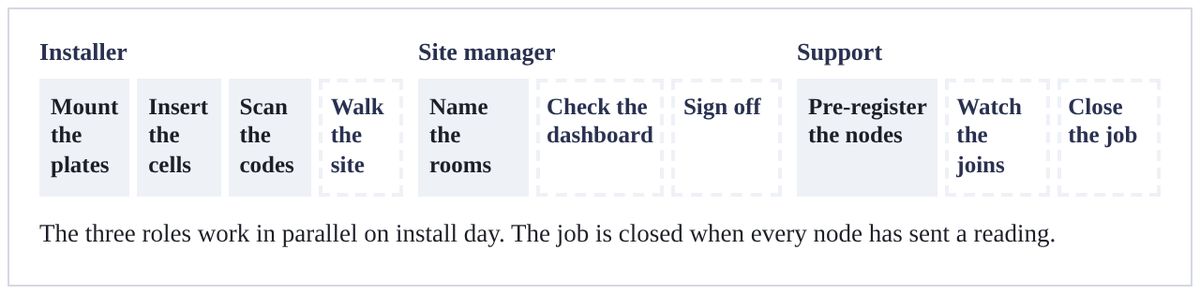
Installer | *Mount the plates | *Insert the cells | *Scan the codes | Walk the site
Site manager | *Name the rooms | Check the dashboard | Sign off
Support | *Pre-register the nodes | Watch the joins | Close the job
The three roles work in parallel on install day. The job is closed when every node has sent a reading.
```
segments
A bar split in proportion to its weights, with a label and detail on each part.
```segments
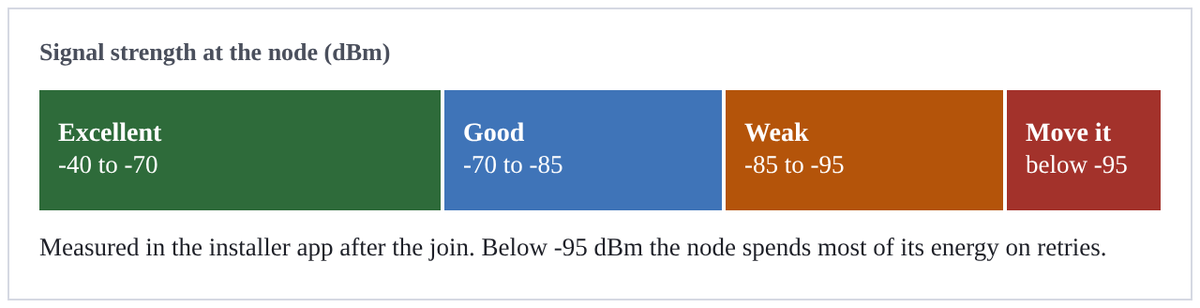
title: Signal strength at the node (dBm)
3 | Excellent | -40 to -70 | green
2 | Good | -70 to -85 | blue
2 | Weak | -85 to -95 | amber
1 | Move it | below -95 | red
Measured in the installer app after the join. Below -95 dBm the node spends most of its energy on retries.
```
figure
Any mix of segments, flow and lanes in one box, split by +++ lines.
```figure
@segments
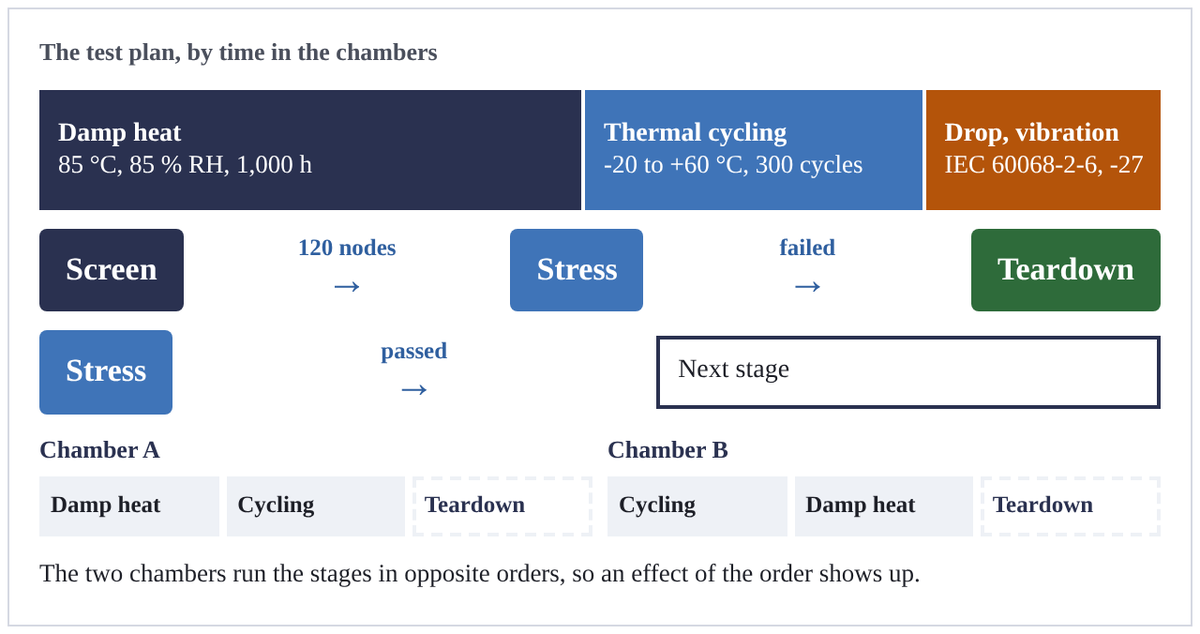
title: The test plan, by time in the chambers
10 | Damp heat | 85 °C, 85 % RH, 1,000 h | navy
6 | Thermal cycling | -20 to +60 °C, 300 cycles | blue
4 | Drop, vibration | IEC 60068-2-6, -27 | amber
+++
@flow
[Screen|navy] -120 nodes-> [Stress|blue] -failed-> [Teardown|green]
[Stress|blue] -passed-> [Next stage]
+++
@lanes
Chamber A | *Damp heat | *Cycling | Teardown
Chamber B | *Cycling | *Damp heat | Teardown
The two chambers run the stages in opposite orders, so an effect of the order shows up.
```
timeline: across
Dated events along a row, with detail and colour.
```timeline
Jul 2024 | First board | Bench tests at 2 µA | grey
Nov 2024 | Certified | NB-IoT on two operators | navy
Apr 2025 | Pilot | 200 nodes in two buildings | blue
Oct 2025 | Firmware 2.0 | Over-the-air updates | green
Feb 2026 | 5,000 nodes | Second manufacturer | amber
Sep 2026 | Firmware 2.1 | Sends only what changed | red
```

timeline: down
vertical puts the events in a column, which suits a long history or a narrow page.
```timeline vertical
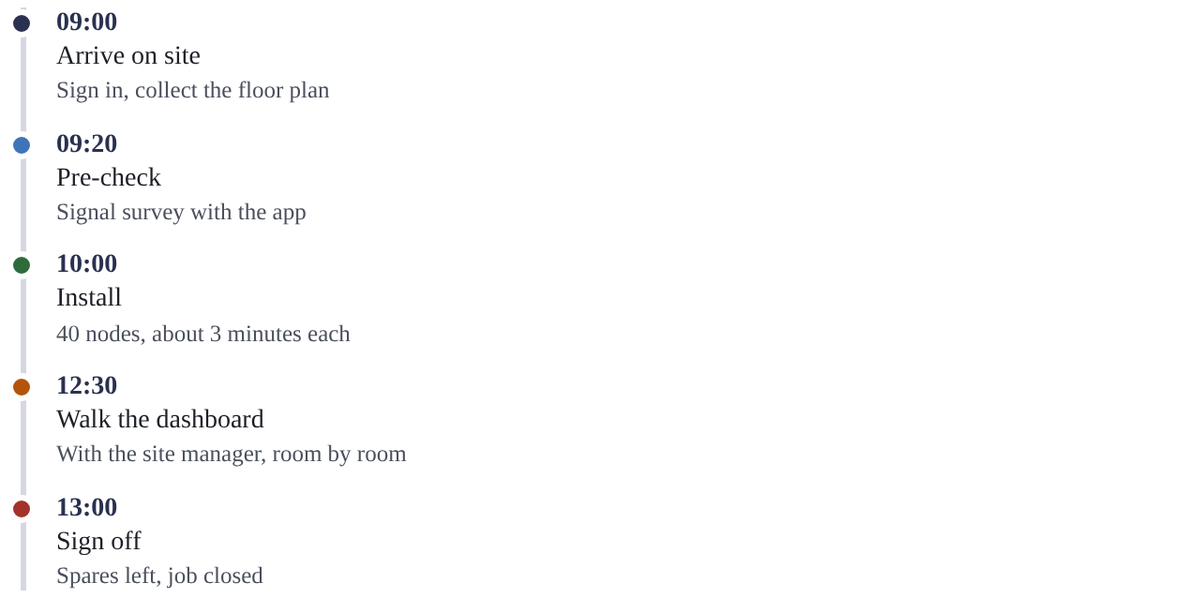
09:00 | Arrive on site | Sign in, collect the floor plan | navy
09:20 | Pre-check | Signal survey with the app | blue
10:00 | Install | 40 nodes, about 3 minutes each | green
12:30 | Walk the dashboard | With the site manager, room by room | amber
13:00 | Sign off | Spares left, job closed | red
```
cycle
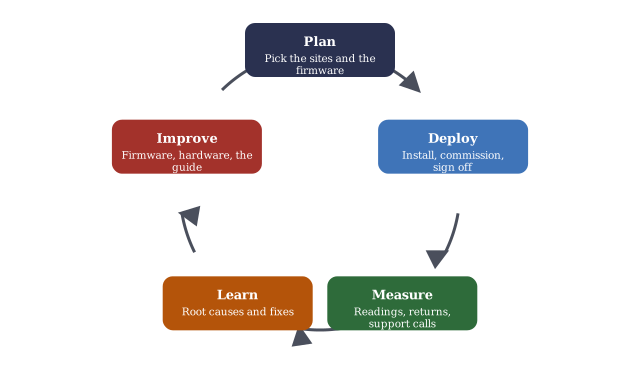
Three to eight stages round a circle, an arrow from each to the next.
```cycle
Plan | Pick the sites and the firmware | navy
Deploy | Install, commission, sign off | blue
Measure | Readings, returns, support calls | green
Learn | Root causes and fixes | amber
Improve | Firmware, hardware, the guide | red
```
funnel
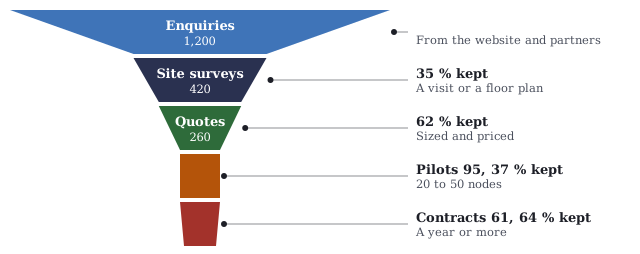
Stages that narrow, each as wide as its value, with the share it keeps of the stage before.
```funnel
Enquiries | 1,200 | From the website and partners | blue
Site surveys | 420 | A visit or a floor plan | navy
Quotes | 260 | Sized and priced | green
Pilots | 95 | 20 to 50 nodes | amber
Contracts | 61 | A year or more | red
```
checklist
Done, open and failed items.
```checklist cols=2
[x] Plate at head height, out of sunlight
[x] Cell inserted, green light within 10 s
[x] Signal -95 dBm or better
[!] First reading on the dashboard within 2 minutes
[ ] Reading within 1 °C of the room thermometer
[ ] Label photo and room recorded in the app
```

compare
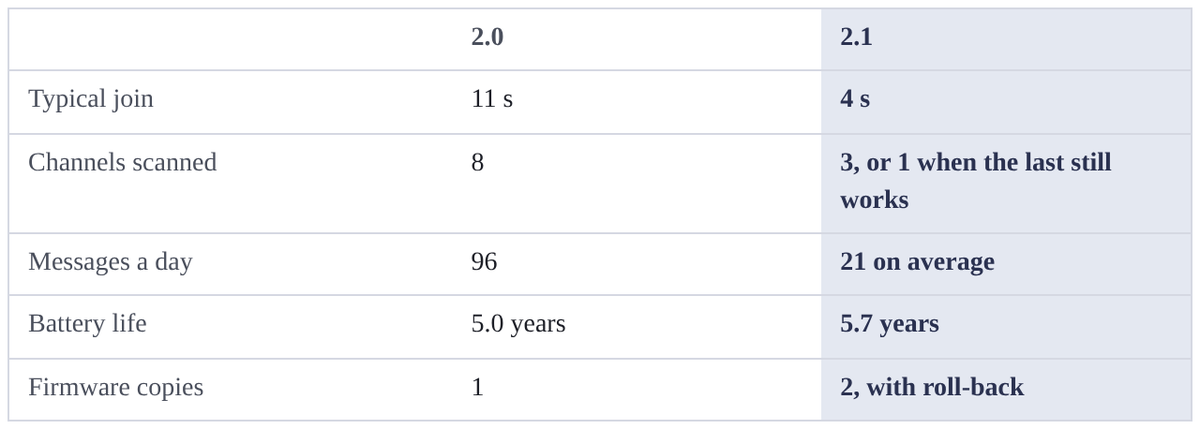
Options compared row by row; the last column is stressed.
```compare
| 2.0 | 2.1
Typical join | 11 s | 4 s
Channels scanned | 8 | 3, or 1 when the last still works
Messages a day | 96 | 21 on average
Battery life | 5.0 years | 5.7 years
Firmware copies | 1 | 2, with roll-back
```
proscons
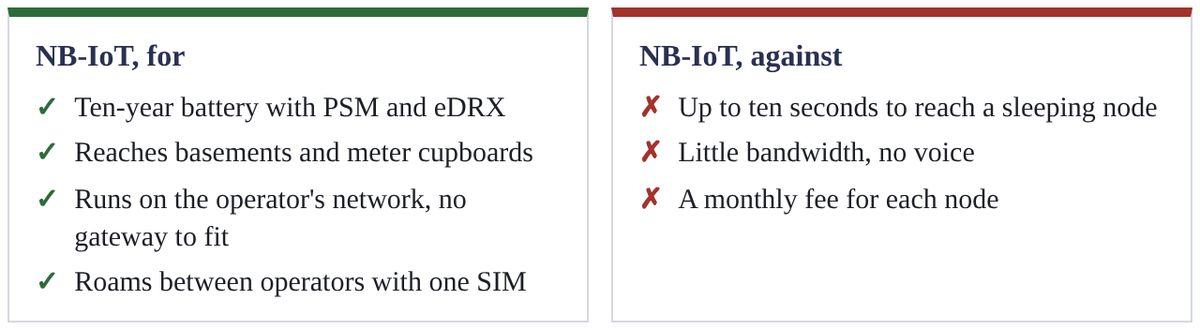
Advantages and limitations in two columns.
```proscons pros="NB-IoT, for" cons="NB-IoT, against"
+ Ten-year battery with PSM and eDRX
+ Reaches basements and meter cupboards
+ Runs on the operator's network, no gateway to fit
+ Roams between operators with one SIM
- Up to ten seconds to reach a sleeping node
- Little bandwidth, no voice
- A monthly fee for each node
```
people
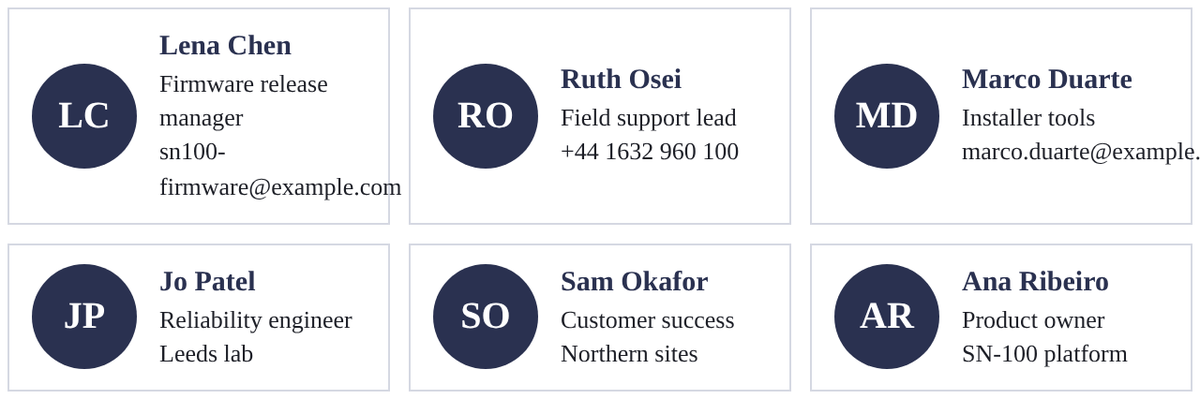
People and their roles, with initials when there is no photo.
```people cols=3
Lena Chen | Firmware release manager | sn100-firmware@example.com
Ruth Osei | Field support lead | +44 1632 960 100
Marco Duarte | Installer tools | marco.duarte@example.com
Jo Patel | Reliability engineer | Leeds lab
Sam Okafor | Customer success | Northern sites
Ana Ribeiro | Product owner | SN-100 platform
```
cards: title style
A grid of cards with a heading each. The default style.
```cards cols=3
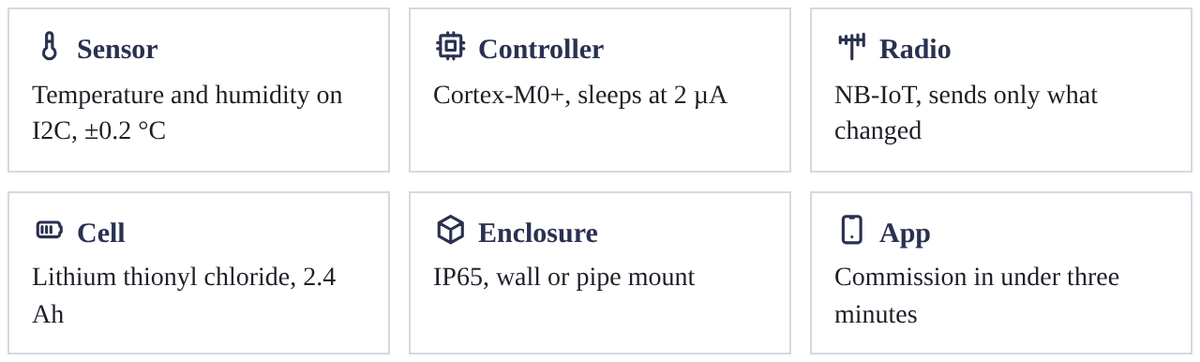
Sensor | Temperature and humidity on I2C, ±0.2 °C | icon=tabler:temperature
Controller | Cortex-M0+, sleeps at 2 µA | icon=tabler:cpu
Radio | NB-IoT, sends only what changed | icon=tabler:antenna
Cell | Lithium thionyl chloride, 2.4 Ah | icon=tabler:battery-3
Enclosure | IP65, wall or pipe mount | icon=tabler:box
App | Commission in under three minutes | icon=tabler:device-mobile
```
cards: label style
The heading as a small label above the text.
```cards cols=2 style=label
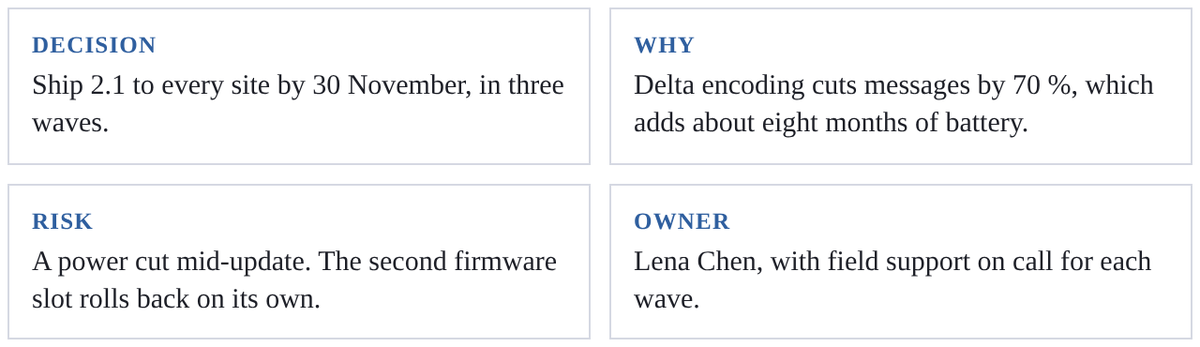
Decision | Ship 2.1 to every site by 30 November, in three waves.
Why | Delta encoding cuts messages by 70 %, which adds about eight months of battery.
Risk | A power cut mid-update. The second firmware slot rolls back on its own.
Owner | Lena Chen, with field support on call for each wave.
```
cards: top style
A coloured band across the top of each card.
```cards cols=3 style=top
Wave 1 | 400 nodes in our own buildings, from 3 November | blue
Wave 2 | 2,000 nodes on pilot sites, from 10 November | navy
Wave 3 | Every other site, from 17 November | green
```

cards: plain style
Cards with no heading treatment, for text alone.
```cards cols=2 style=plain
Most returns are condensation in cold stores. Coating the sensor from batch 26-40 fixes it.
Self-discharge in lot 24-11 is twice the specification. Those cells are replaced at the next visit.
```

highlight
Key figures, each a value with its label and detail.
```highlight
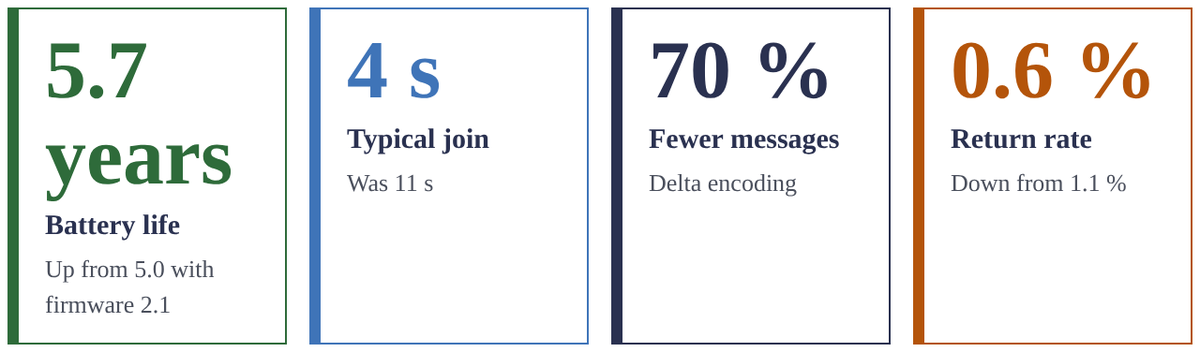
5.7 years | Battery life | Up from 5.0 with firmware 2.1 | green
4 s | Typical join | Was 11 s | blue
70 % | Fewer messages | Delta encoding | navy
0.6 % | Return rate | Down from 1.1 % | amber
```
glossary
Terms and their meanings, in columns.
```glossary cols=2
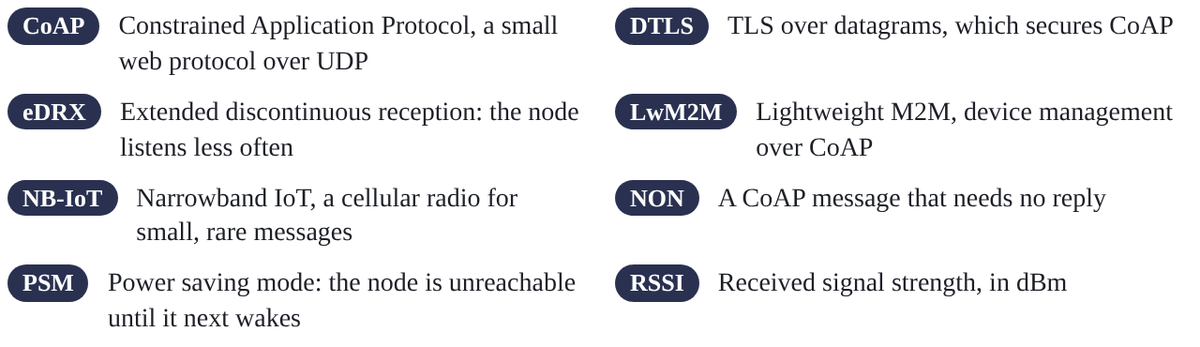
CoAP | Constrained Application Protocol, a small web protocol over UDP
DTLS | TLS over datagrams, which secures CoAP
eDRX | Extended discontinuous reception: the node listens less often
LwM2M | Lightweight M2M, device management over CoAP
NB-IoT | Narrowband IoT, a cellular radio for small, rare messages
NON | A CoAP message that needs no reply
PSM | Power saving mode: the node is unreachable until it next wakes
RSSI | Received signal strength, in dBm
```