Dynamic behaviour
How the parts of py-doc work together, step by step.
View: Build
How py-doc build makes one Word document.
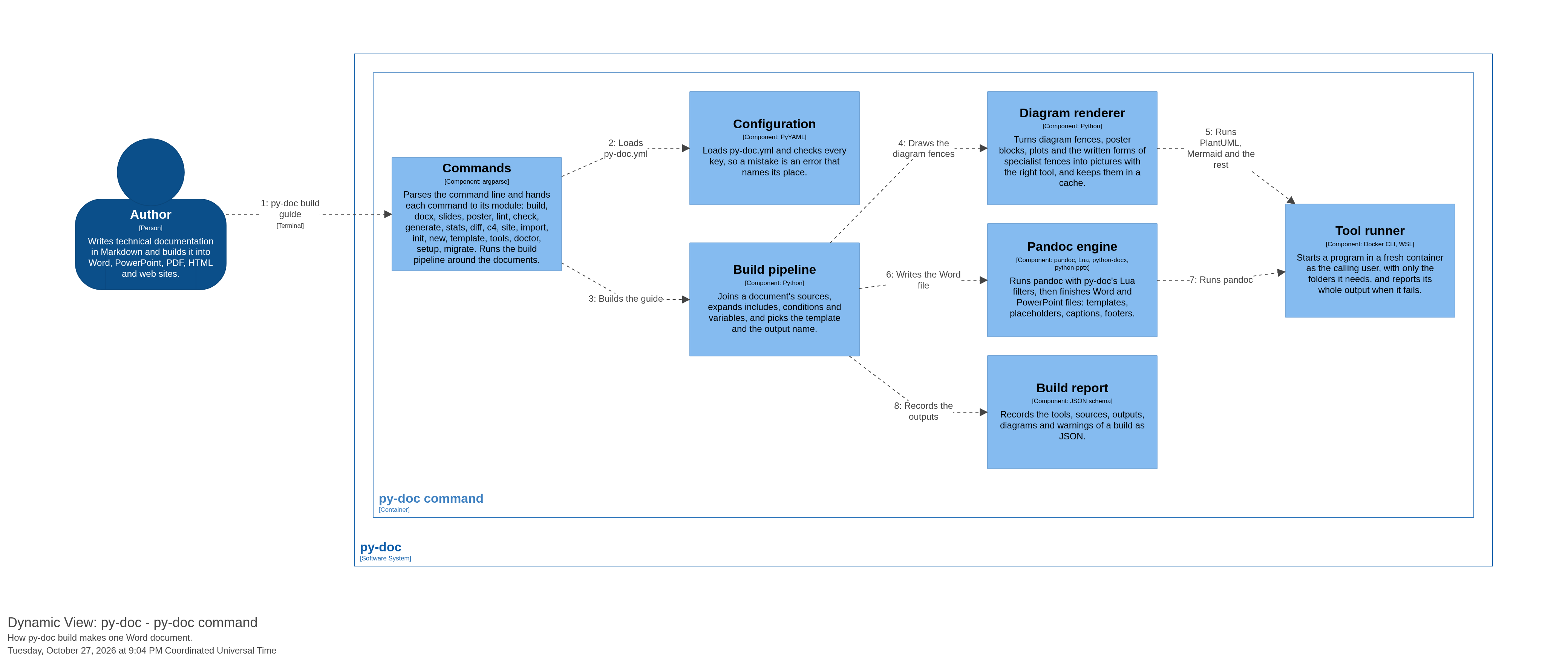
- Author to Commands: py-doc build guide
- Commands to Configuration: Loads py-doc.yml
- Commands to Build pipeline: Builds the guide
- Build pipeline to Diagram renderer: Draws the diagram fences
- Diagram renderer to Tool runner: Runs PlantUML, Mermaid and the rest
- Build pipeline to Pandoc engine: Writes the Word file
- Pandoc engine to Tool runner: Runs pandoc
- Build pipeline to Build report: Records the outputs
View: LivePreview
How the VS Code extension shows a live preview of a Word document.
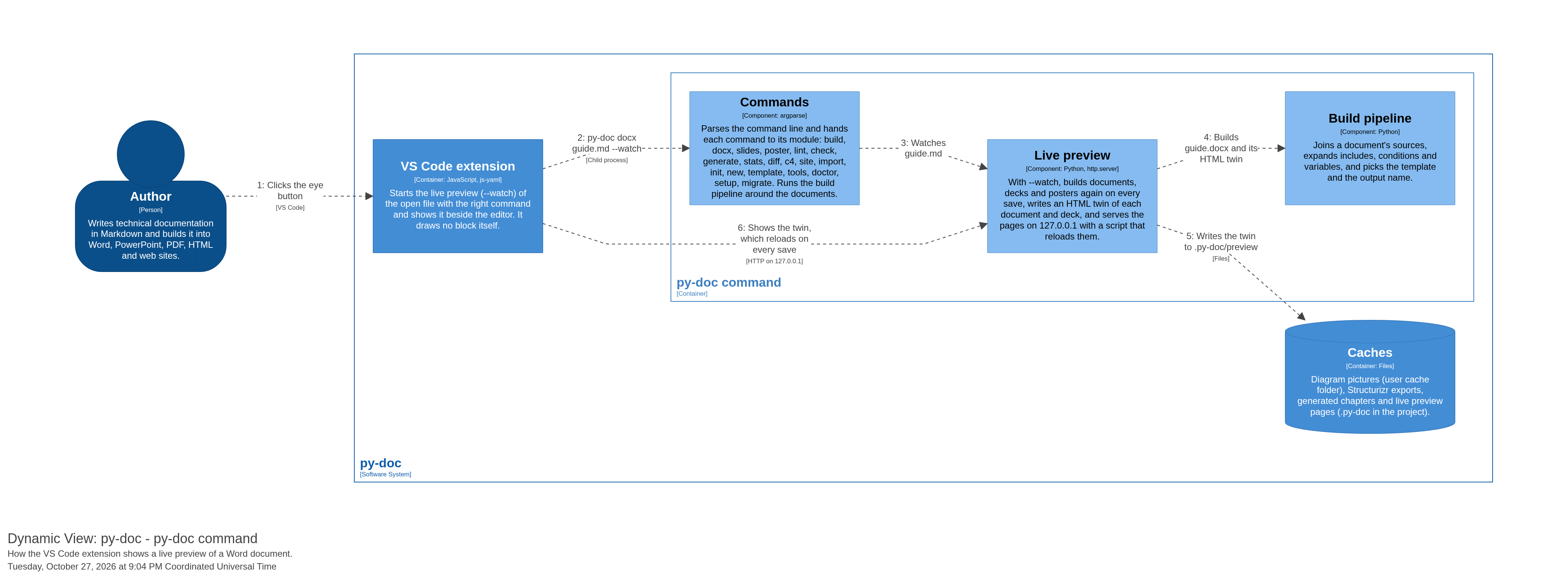
- Author to VS Code extension: Clicks the eye button
- VS Code extension to Commands: py-doc docx guide.md –watch
- Commands to Live preview: Watches guide.md
- Live preview to Build pipeline: Builds guide.docx and its HTML twin
- Live preview to Caches: Writes the twin to .py-doc/preview
- VS Code extension to Live preview: Shows the twin, which reloads on every save